¶ Workshop - Blink a LED - ESP32C6 - MicroPython
¶ Microcontroller module used
¶ ESP32-C6, XIAO/Seeed Studio
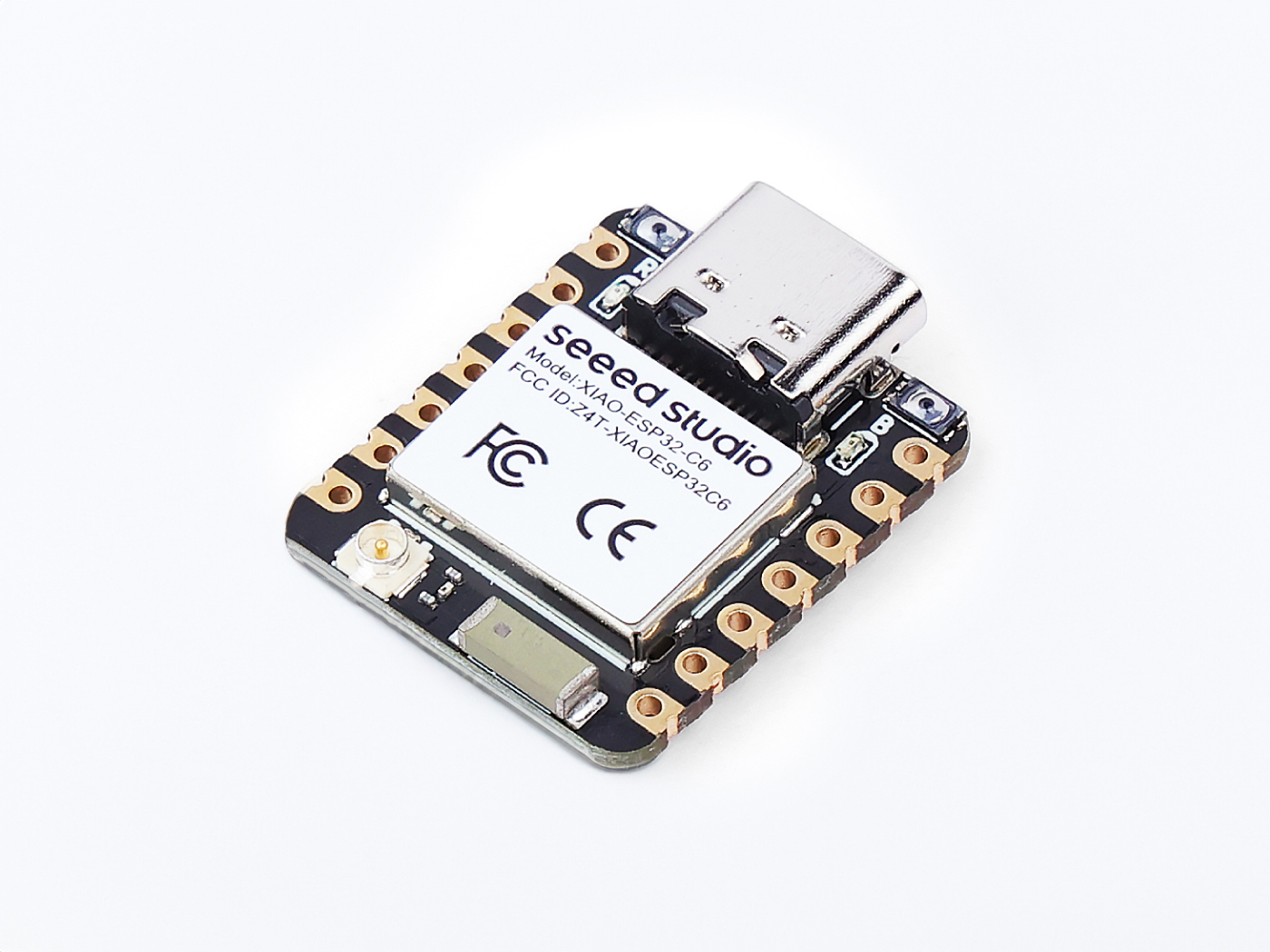
¶ Module specs summary
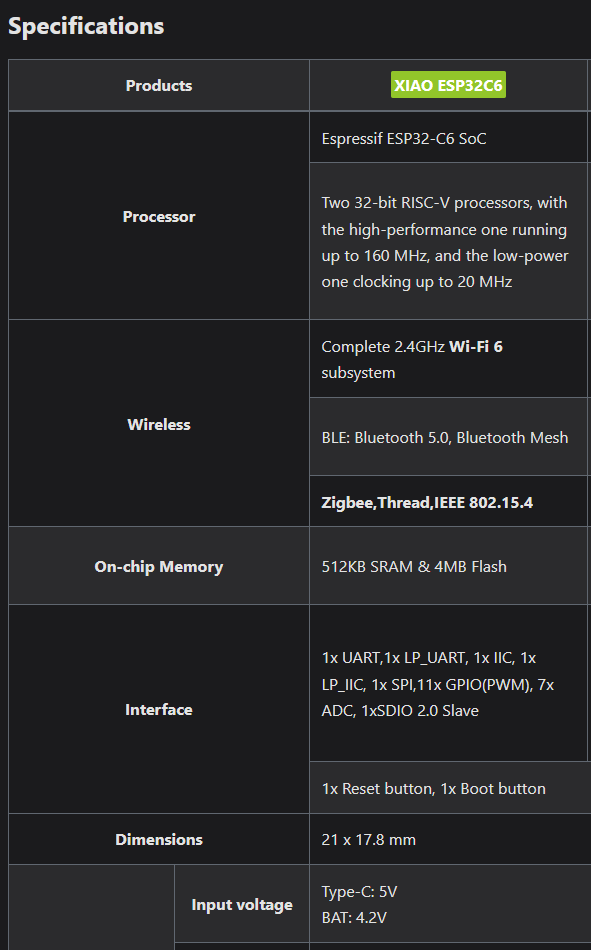 |
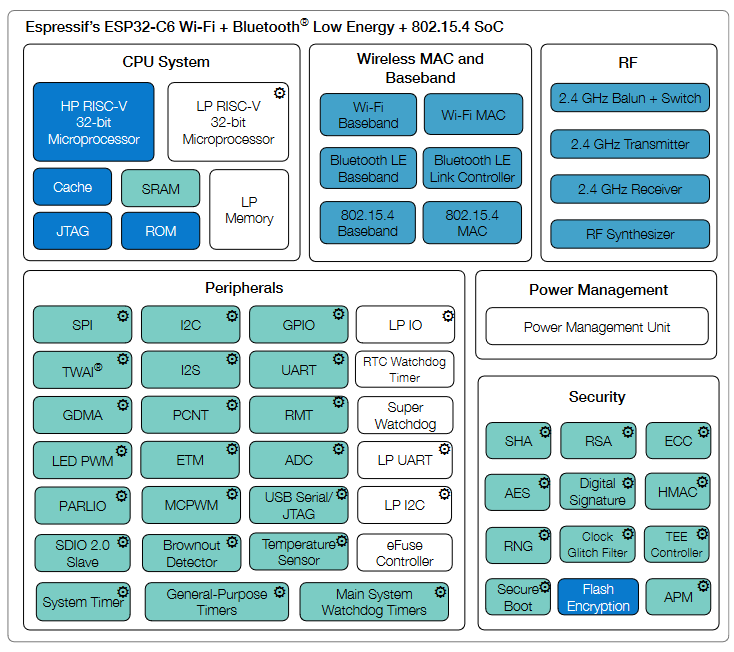 |
|
|
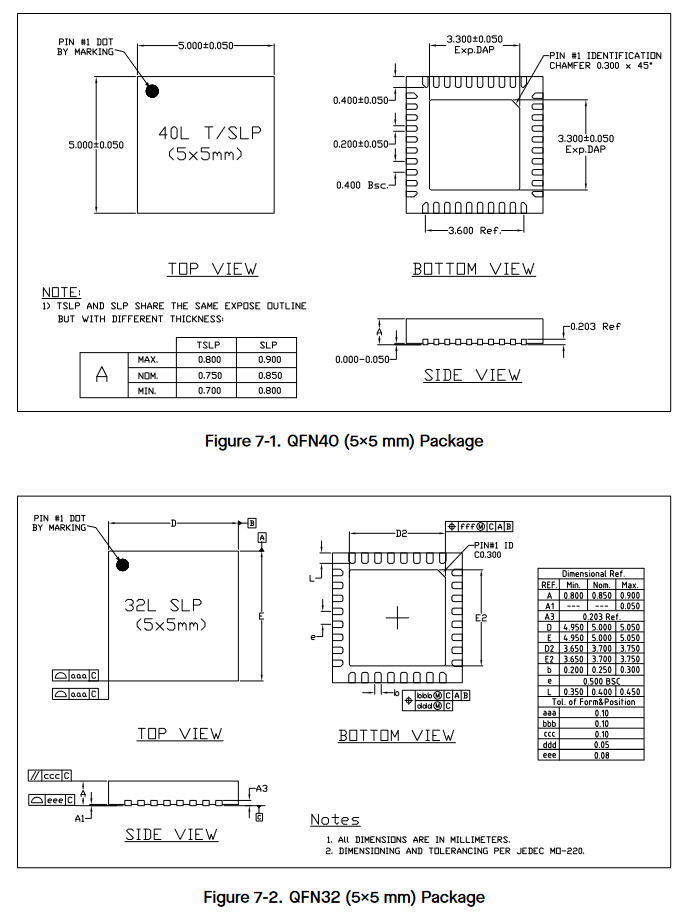 |
Price : 6.50 euros …
¶ LEDs
¶ … in brief
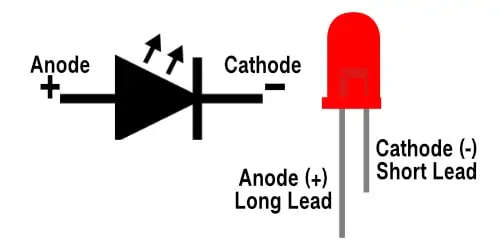
¶ … in detail
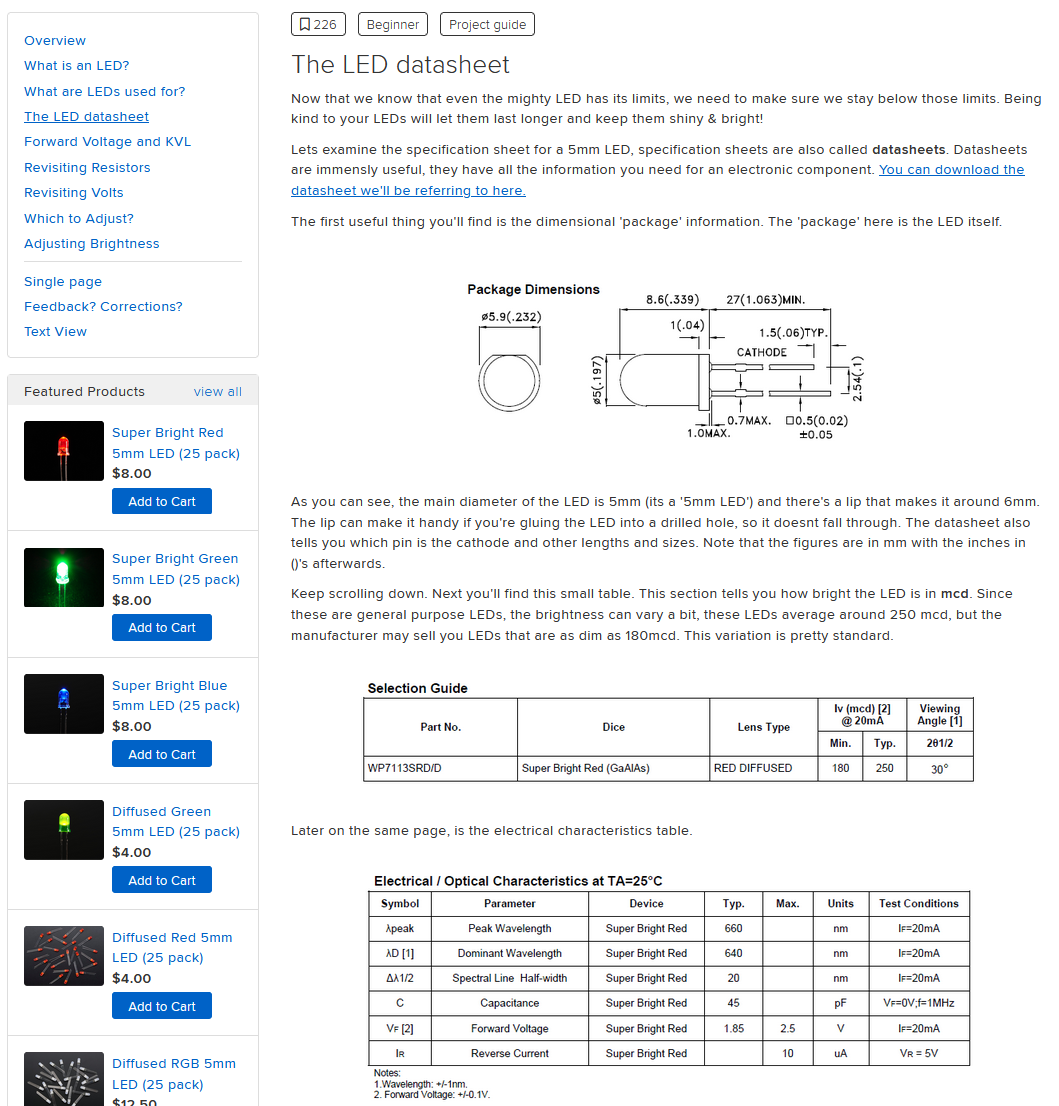
¶ …in relation with the ESP32 GPIO
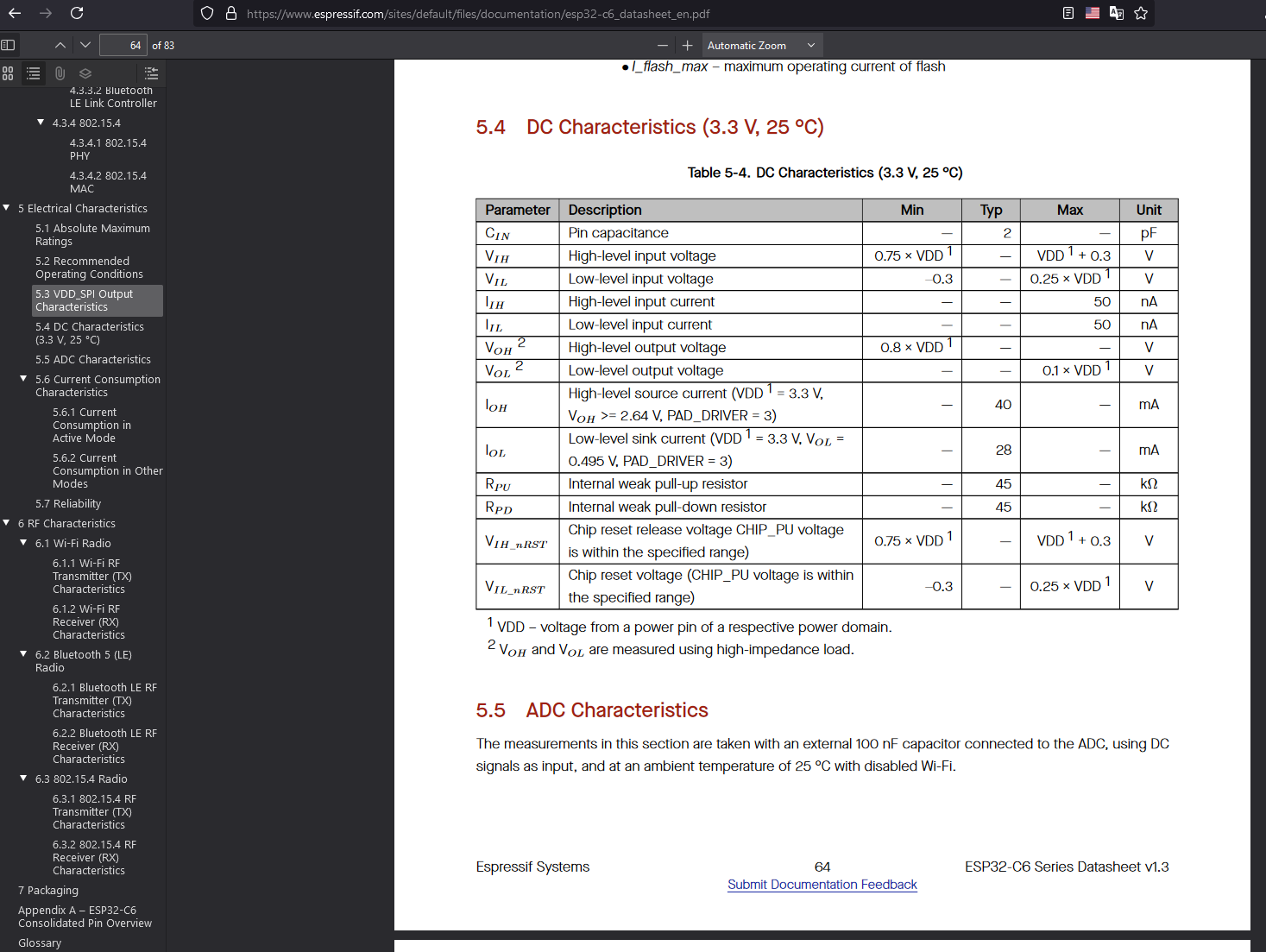
¶ … and so ?
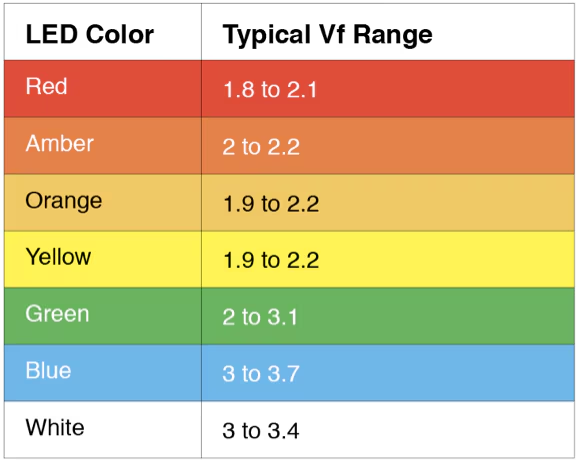
Max. voltage on GPIO is 3v3 (min 2.64 sourcing 40mA) - Led dropout is about 1.8v.
About 1.5v across a resistor (3v3-1.8v), under 10mA (to be safe, not too bright etc…) → minimum 150 ohms (anything between 100 and 2k2 will probably do).
 |
 |
There are many online calculators available, for example : https://www.digikey.fr/en/resources/conversion-calculators/conversion-calculator-led-series-resistor
¶ Connecting ESP32C6 module to the LED
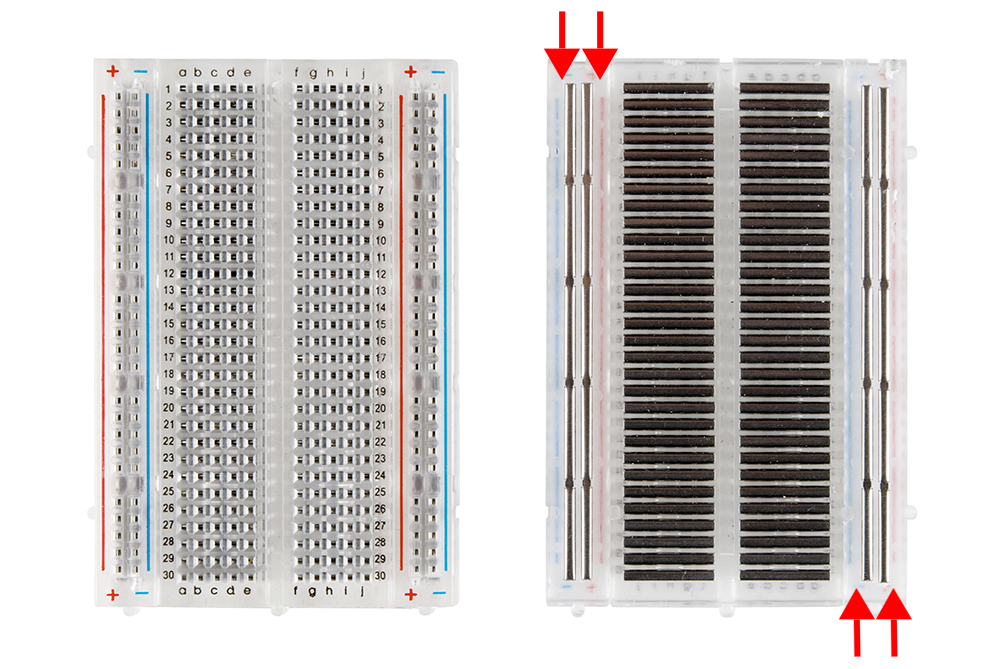 |
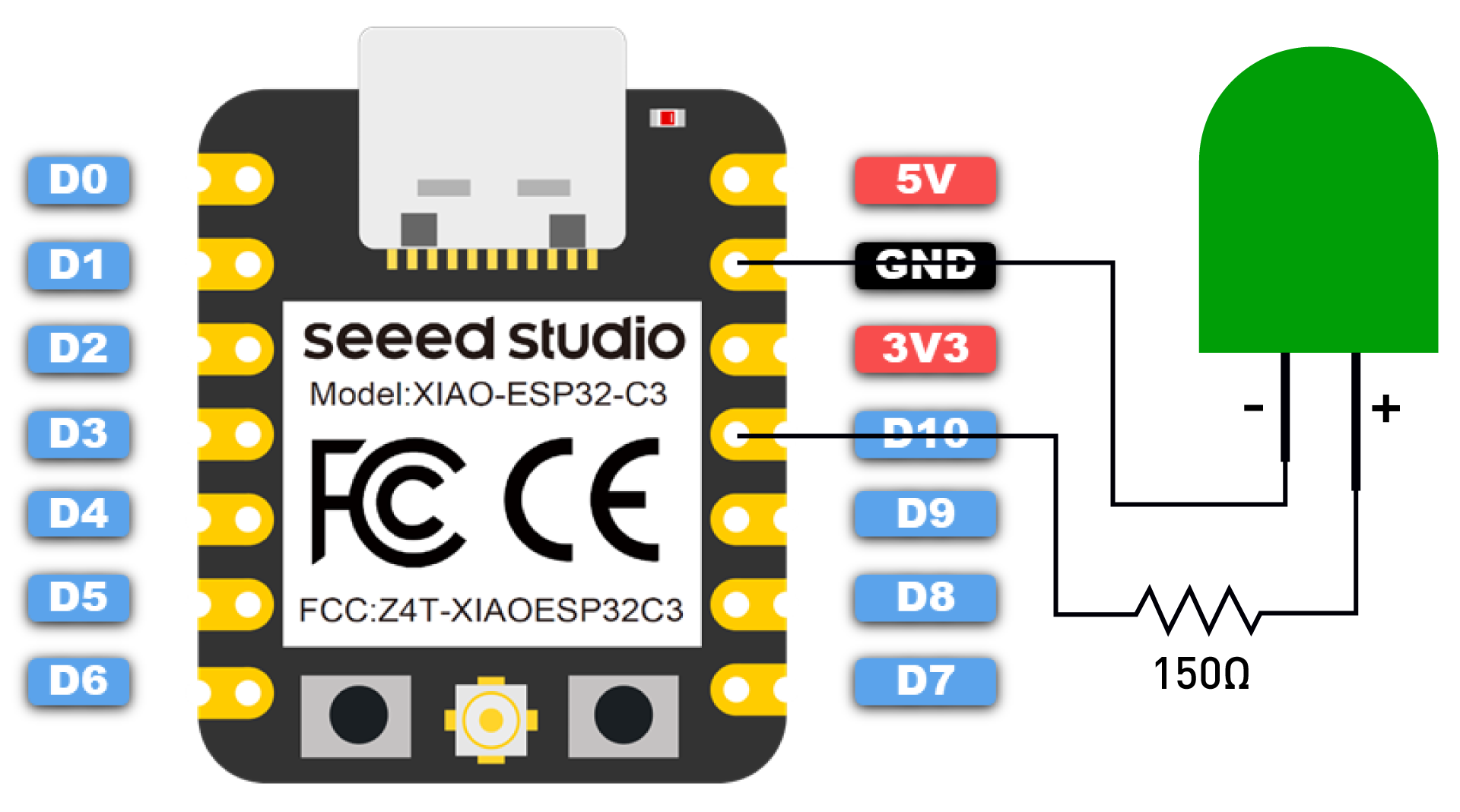 |
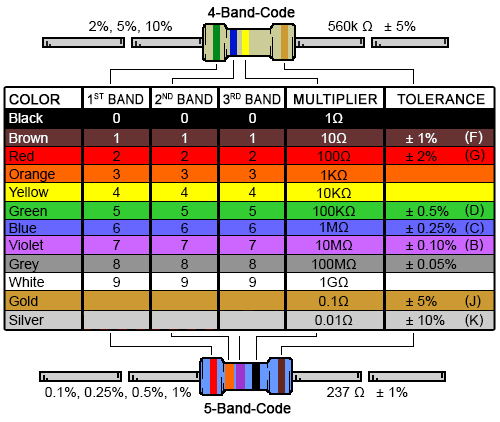 |
|
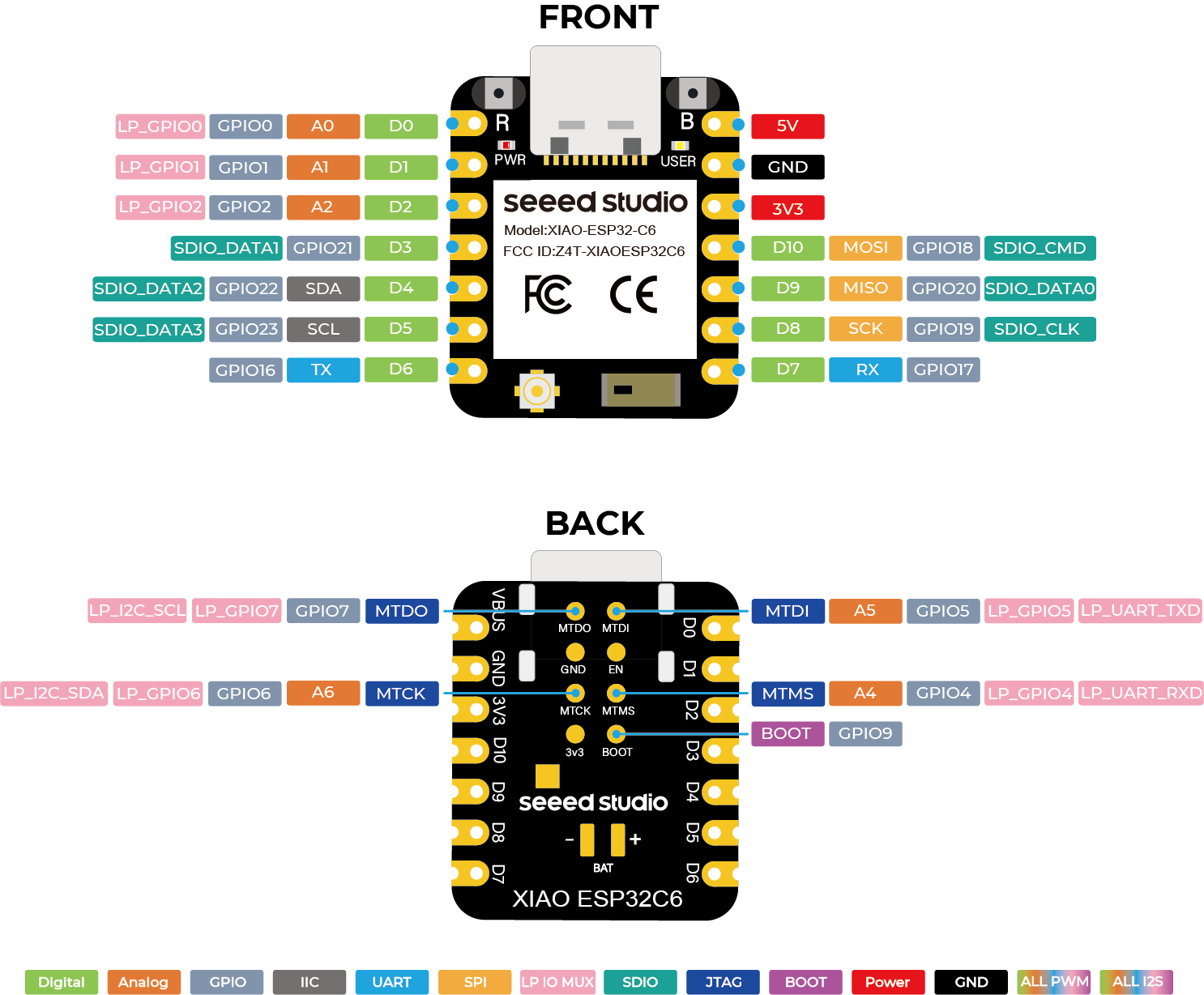
For reference : the complete ESP32C6 Pinout
Note that we will use the GPIO numbers with Micropython (i.e. GPIO 18, for connection on ‘D10’)
¶ Alternative solution : use the build-in (user) LED (GPIO 15)
See ESP32C6 module's schematic : there
From the schematic (and Seeed's website), the ‘strange’ behavior of the 'PWR' LED is explained : this is a ‘Charge battery’ feedback - with no battery, the LED will go off after 30 seconds… Resetting the ESP32C6 does not have any effect on that LED.
¶ Why Micropython ?
Compiled vs. Interpreted code (https://www.freecodecamp.org/news/compiled-versus-interpreted-languages/)
¶ Advantages and disadvantages
¶ Advantages of compiled languages
Programs that are compiled into native machine code tend to be faster than interpreted code. This is because the process of translating code at run time adds to the overhead, and can cause the program to be slower overall.
¶ Disadvantages of compiled languages
The most notable disadvantages are:
- Additional time needed to complete the entire compilation step before testing
- Platform dependence of the generated binary code
¶ Advantages of interpreted languages
Interpreted languages tend to be more flexible, and often offer features like dynamic typing and smaller program size. Also, because interpreters execute the source program code themselves, the code itself is platform independent.
¶ Disadvantages of interpreted languages
The most notable disadvantage is typical execution speed compared to compiled languages.
¶ A Micropython IDE : Thonny
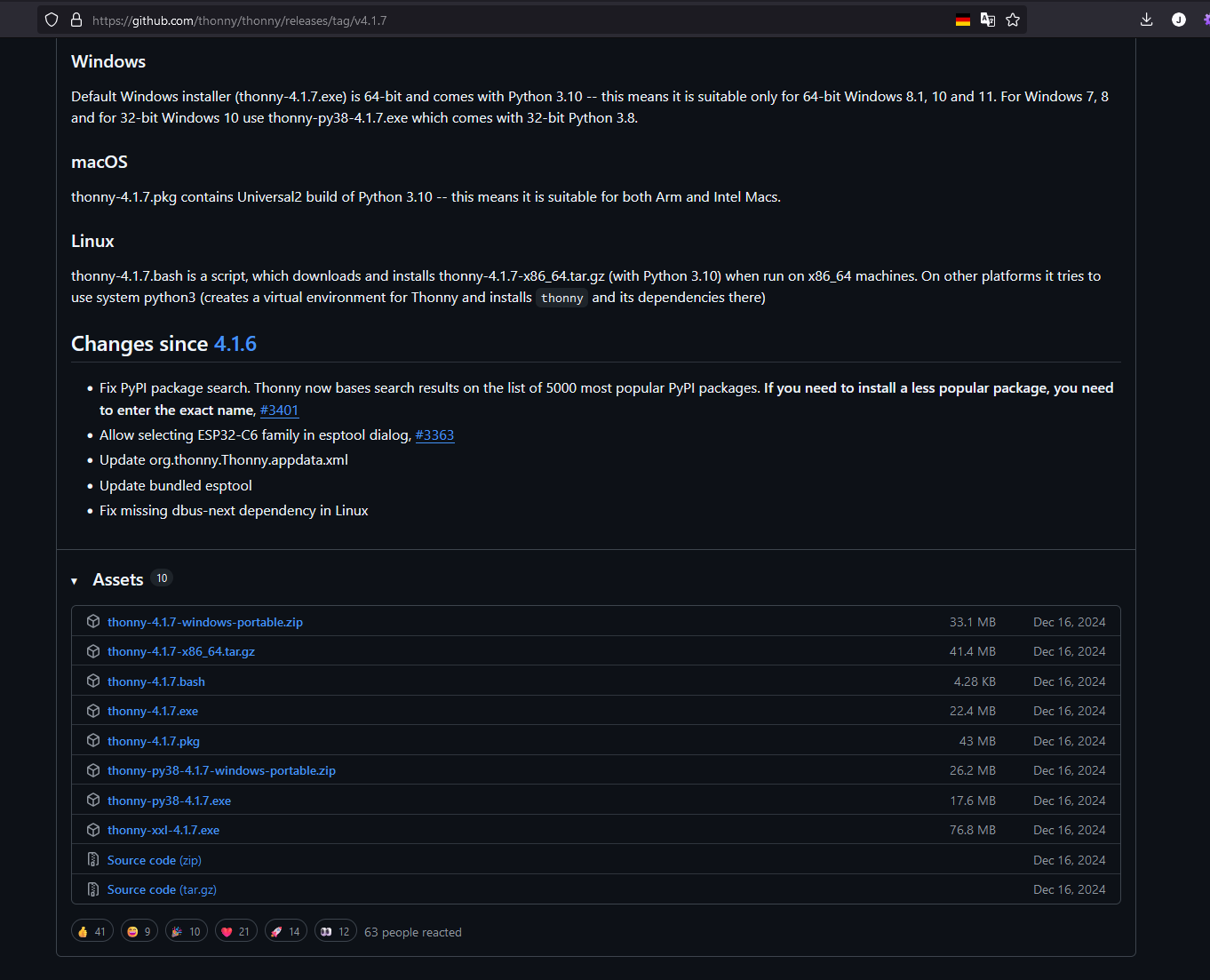
- Download Thonny via Thonny's project page on Github (preferred), or Website. Available for Windows/macOS & Linux
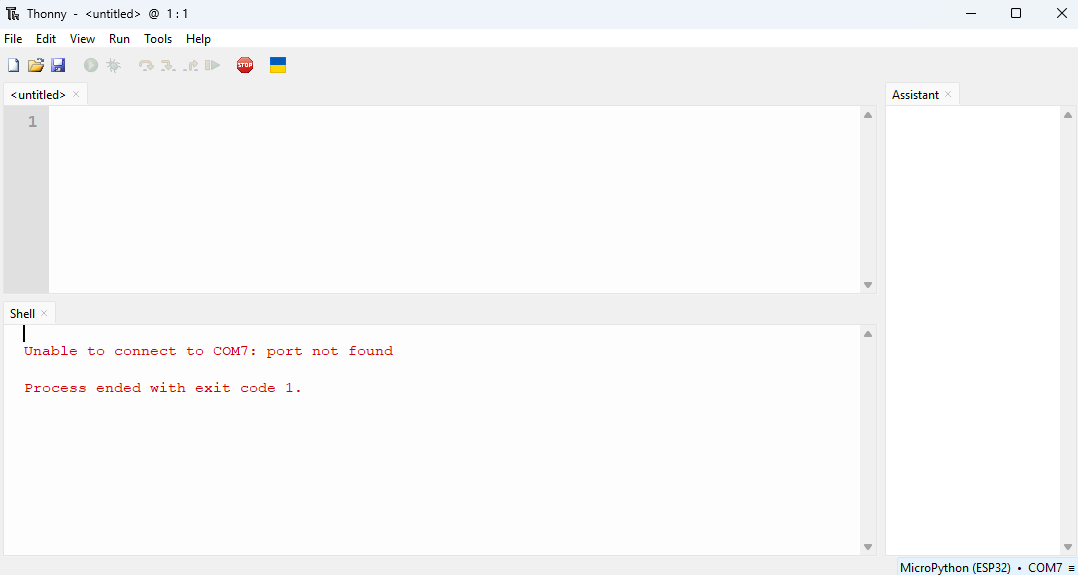
- Running Thonny
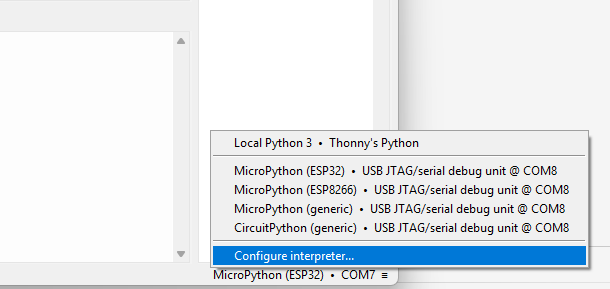
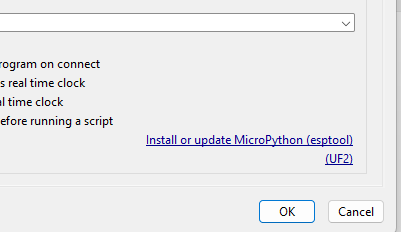
- Upload/install Micropython on ESP32C6 module
 |
|
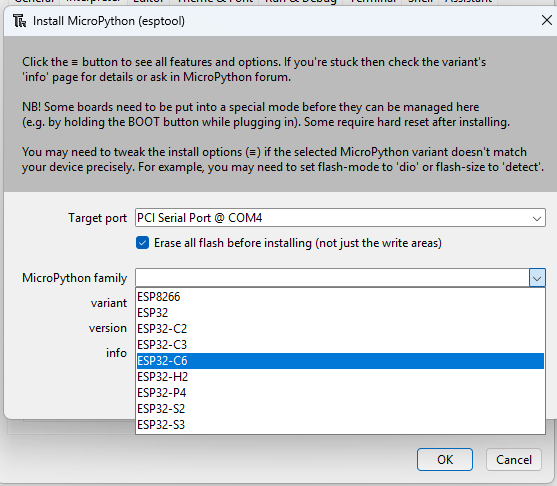 |
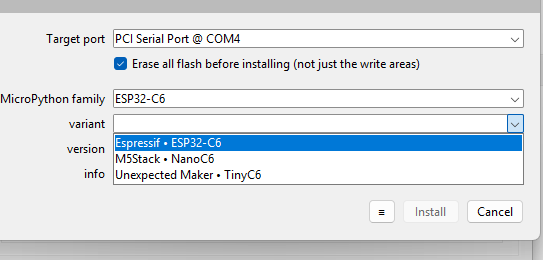
|
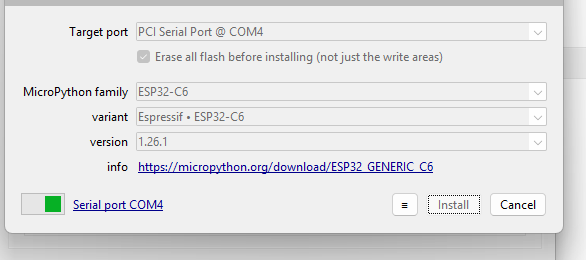
|
If programming is failing :
- check COM port
- use ‘boot’ mode : press Reset & Boot buttons, keep Boot pressed, Release Reset, Release Boot
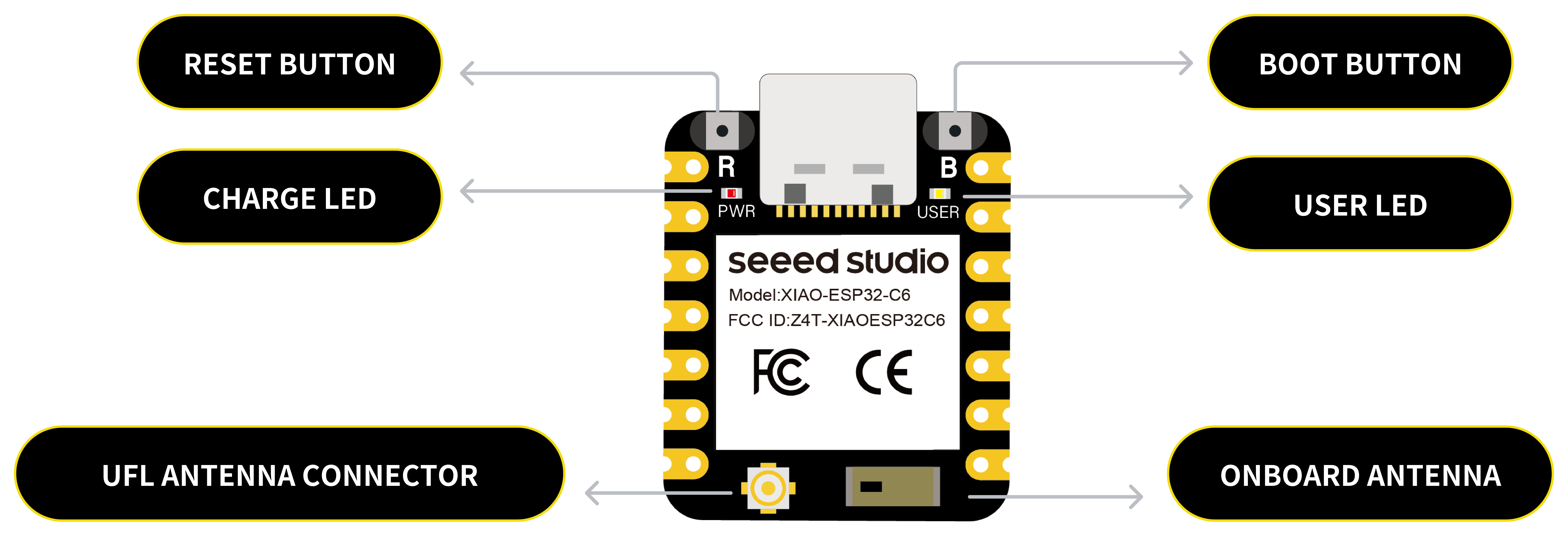
¶ Using the ‘serial’ console : Thonny ‘shell’ window
¶ Try some generic Python code - not ‘machine’ oriented…
>>> print(2+2)
4
>>> print("#"*3)
###
>>> a=42
>>> print(f"The answer is {a}")
The answer is 42
>>> ¶ "help"… I told you to type help() !
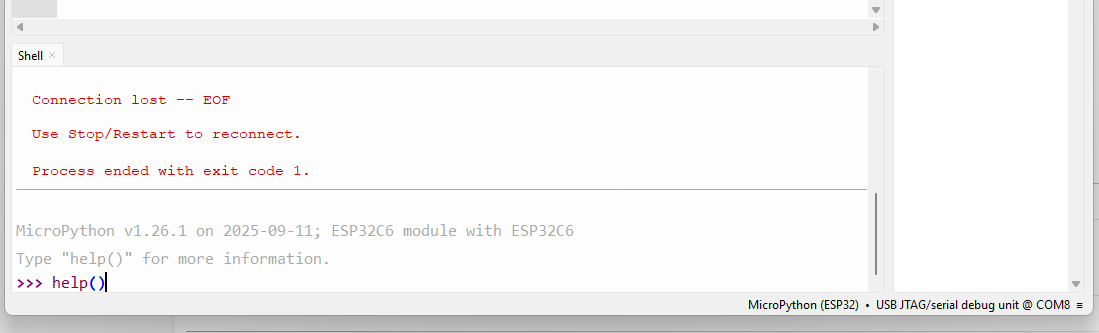
Welcome to MicroPython on the ESP32!

For online docs please visit http://docs.micropython.org/

For access to the hardware use the 'machine' module:

import machine
pin12 = machine.Pin(12, machine.Pin.OUT)
pin12.value(1)
pin13 = machine.Pin(13, machine.Pin.IN, machine.Pin.PULL_UP)
print(pin13.value())
i2c = machine.I2C(scl=machine.Pin(21), sda=machine.Pin(22))
i2c.scan()
i2c.writeto(addr, b'1234')
i2c.readfrom(addr, 4)

Basic WiFi configuration:

import network
sta_if = network.WLAN(network.WLAN.IF_STA); sta_if.active(True)
sta_if.scan()                             # Scan for available access points
sta_if.connect("<AP_name>", "<password>") # Connect to an AP
sta_if.isconnected()                      # Check for successful connection

Control commands:
  CTRL-A        -- on a blank line, enter raw REPL mode
  CTRL-B        -- on a blank line, enter normal REPL mode
  CTRL-C        -- interrupt a running program
  CTRL-D        -- on a blank line, do a soft reset of the board
  CTRL-E        -- on a blank line, enter paste mode

For further help on a specific object, type help(obj)
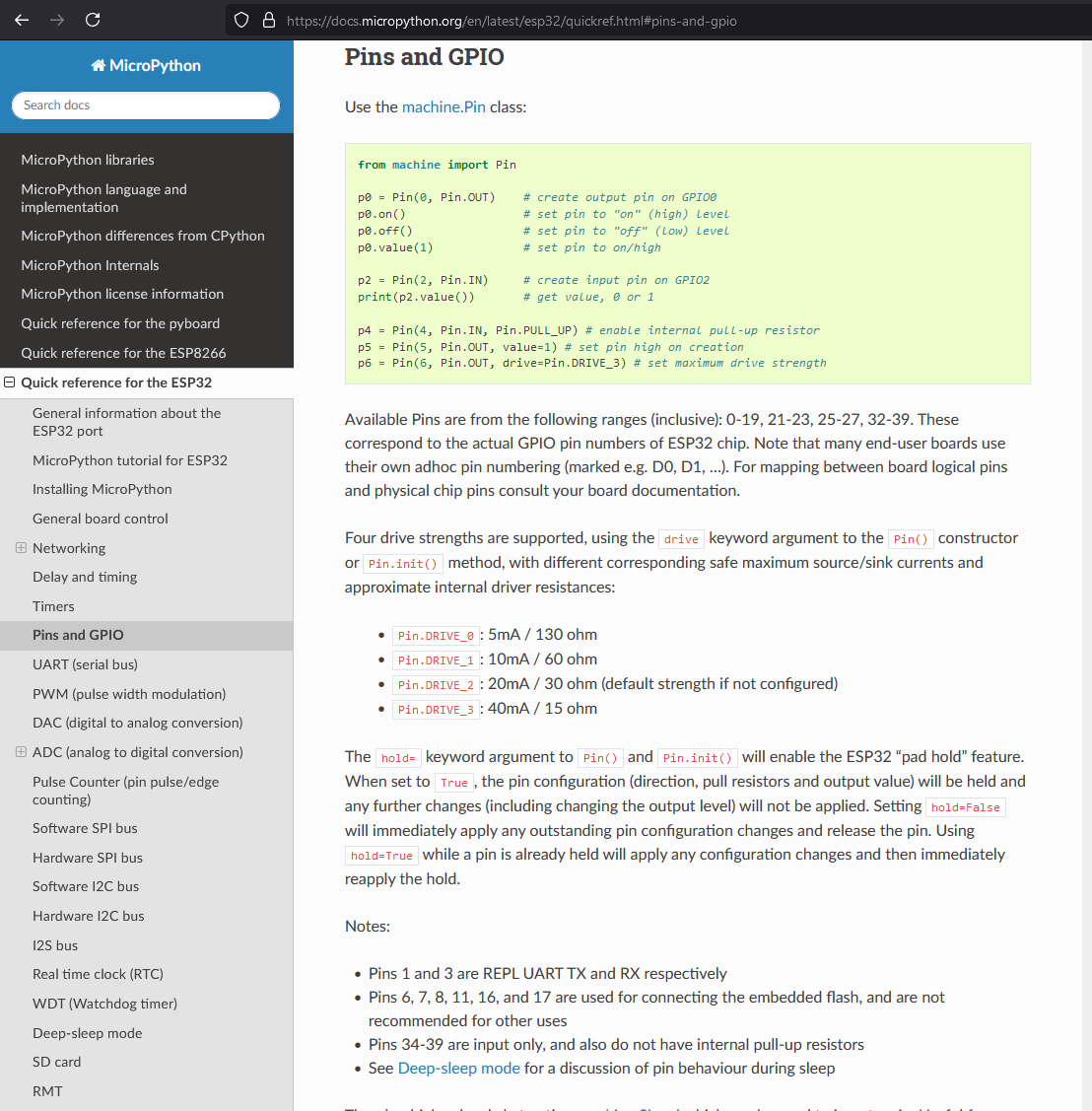
For a list of available modules, type help('modules')¶ Get more help : docs on Micropython's Website (see ESP32 specific topic)
https://docs.micropython.org/en/latest/esp32/quickref.html#pins-and-gpio
¶ Let's go : some tests directly in Thonny ‘shell’ window
> from machine import Pin
> led=Pin(18,Pin.OUT)
> led.on()
> led.off()
Note that .on() suppose that a high level on GPIO will turn the LED on… Sometime LEDs are used between VCC and GPIO, in this case a low level will turn the LED on, and the corresponding method would be .off() !!! In this case, it would be better to use .value(0), and document in the code (#).
¶ Now create a program
¶ In the code window ('<untitled>')
from machine import Pin
led=Pin(18,Pin.OUT)
while True:
 led.on()
 led.off()
Be careful : indentation is very important to delimit a block of instructions
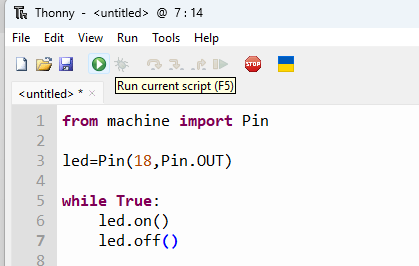
To stop execution, use the ‘STOP’ button, or use Ctrl-C.
¶ Try again
from machine import Pin
from time import sleep

led=Pin(18,Pin.OUT)

while True:
	led.on()
	sleep(0.5)
	led.off()
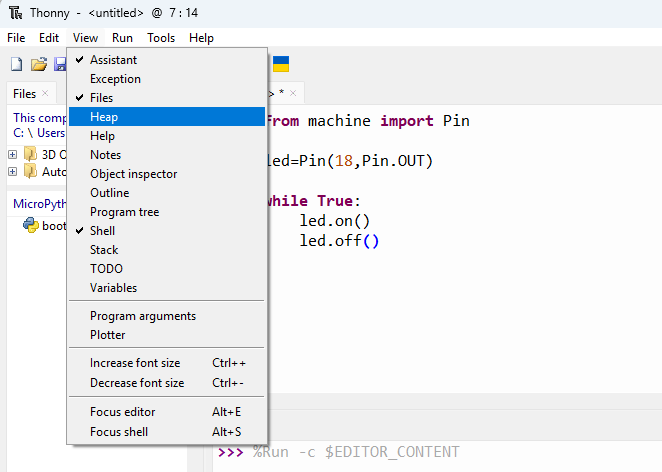
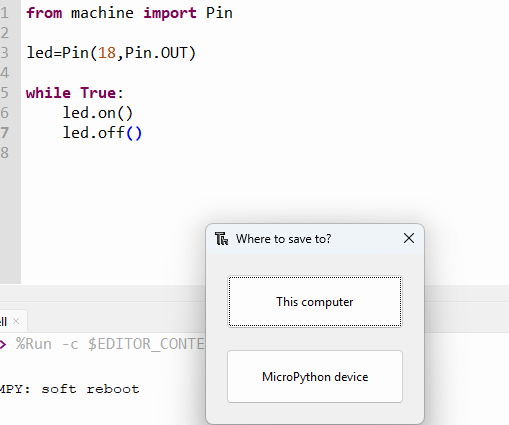
sleep(0.5)¶ Autostart : Save as… , main.py on the Micropython module itself
 |
 |
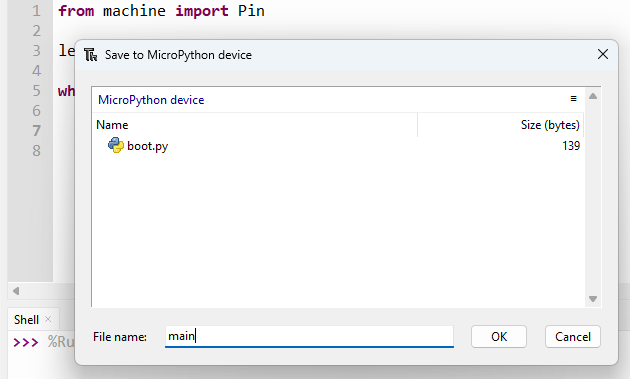 |
You can now reboot the module (Reset button), disconnect/reconnect, use the module standalone (with a powerbank, or with a dedicated battery, since the ESP32C6 does support it)…, the program will start automatically.
When rebooting/restarting, the connection with Thonny & the COM port is lost - Don't forget to select ESP32 & COM port in Thonny bottom-right menu.
¶ More
¶ Other possible ways to program the module
- Visual Studio Code : Arduino framework, or ESP-IDF
- Arduino IDE
- CircuitPython
¶ RGB Led in Micropython
- Led Rings → chained WS2812/NeoPixel LEDs
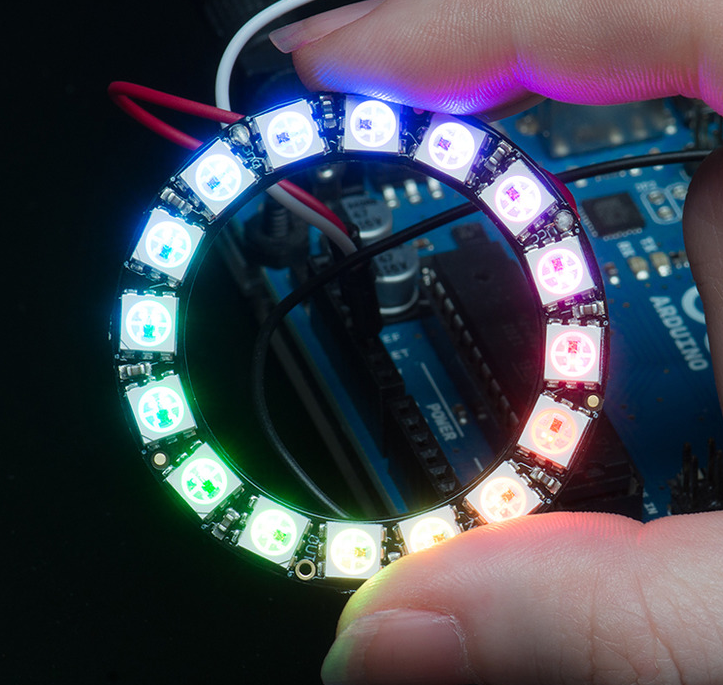
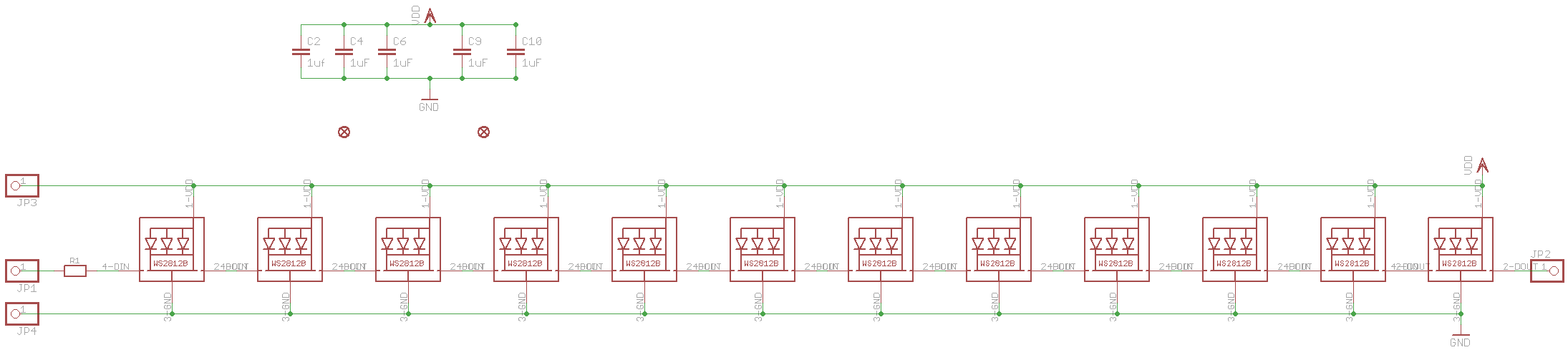
- MicroPython : Module neopixel - RGB control - 0…255 levels
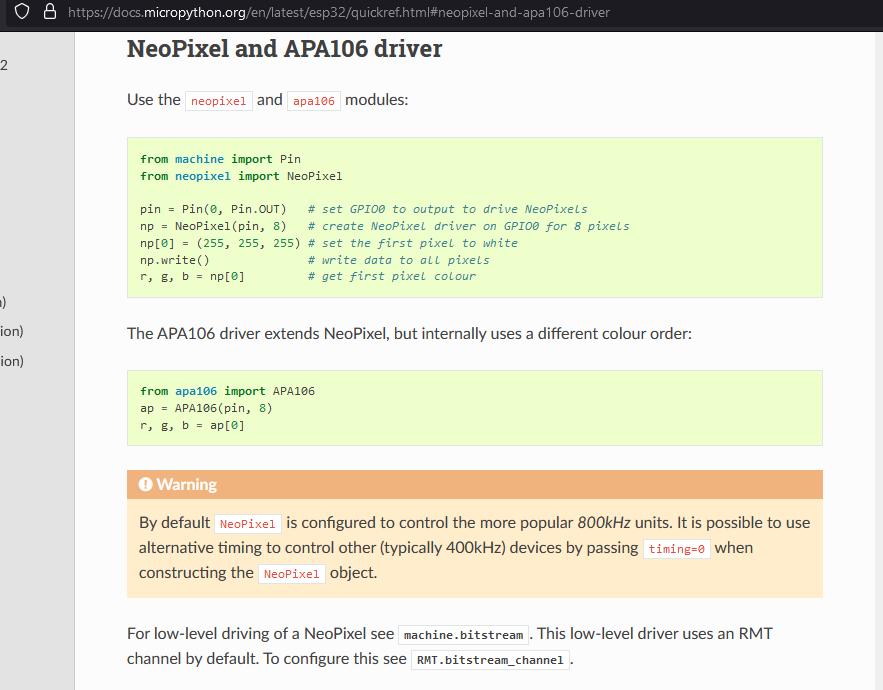
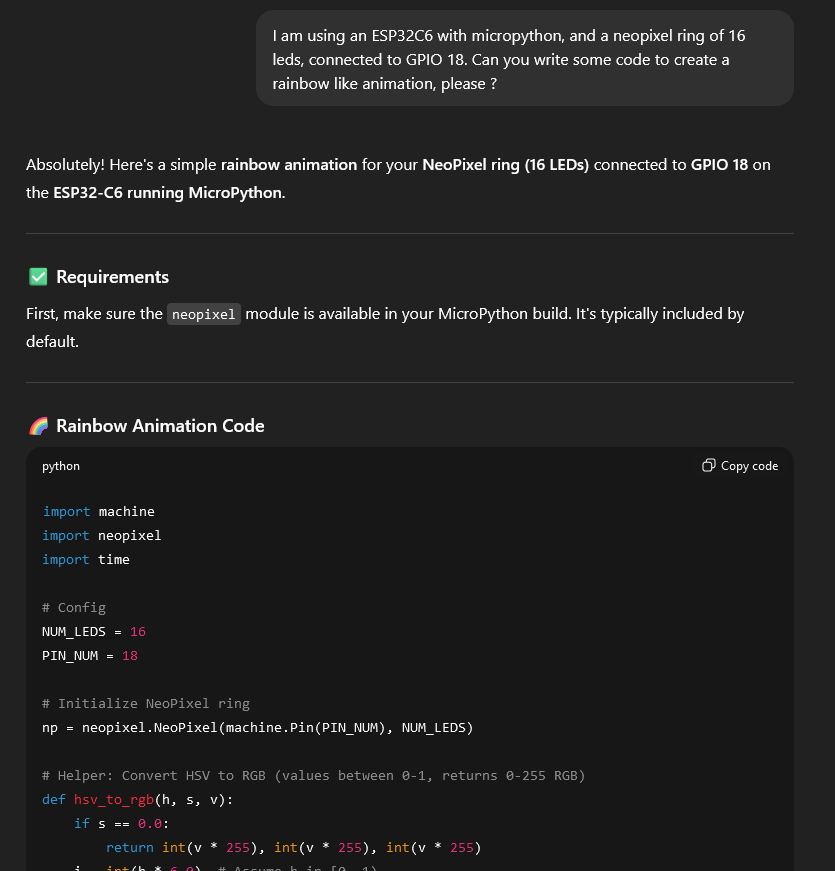
- But now you will probably use “the easy way”… (sic)
ChatGPT : “I am using an ESP32C6 with micropython, and a neopixel ring of 16 leds, connected to GPIO 18. Can you write some code to create a rainbow like animation, please ?”
¶ Be critical : timing precision
- sleep(0.5) → OK, but… what about the execution time of on()/off() methods & loop
Use toggle() to balance loop exec time (but the ‘toggle’ implementation is hidden too..) :
from machine import Pin
from time import sleep

led=Pin(18,Pin.OUT,value=0)

while True:
	led.toggle()
	sleep(0.5)
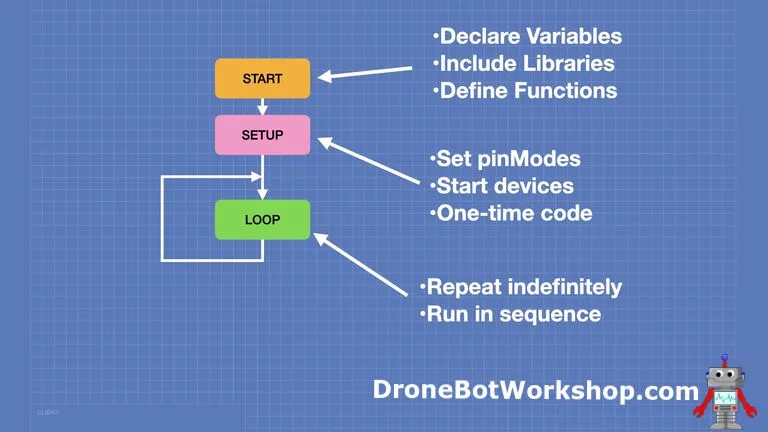
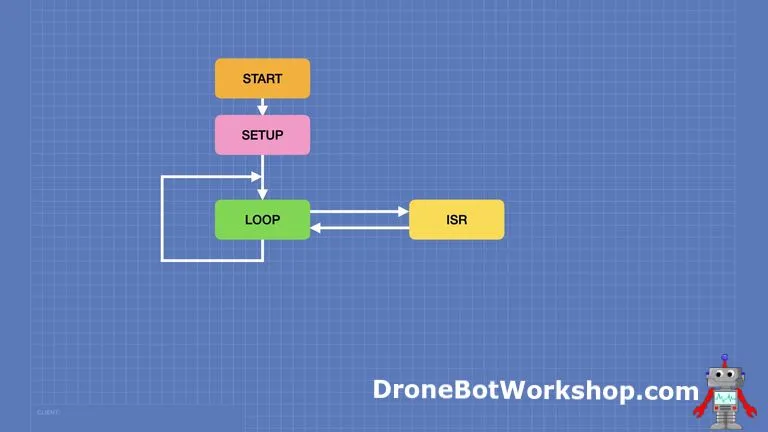
- Arduino/C code : better, faster, but… what about spurious interrupts (millis() timer) → Jitter
 |
 |
- Other solutions : use dedicated functions (timers) or peripherals
Use timers with Micropython :
from machine import Pin,Timer
from time import sleep

led=Pin(18,Pin.OUT,value=0)

tim0 = Timer(0)
tim0.init(period=500, mode=Timer.PERIODIC, callback=lambda t:led.toggle())

while True:
	print("Doing nothing")
sleep(5)PWM :
from machine import Pin, PWM
from time import sleep

pwm0 = PWM(Pin(18), freq=1, duty_u16=32768)	# u16 means unsigned 16 bits value. Max is 65535, 50% is 32768

# But does not work on ESP32C3 : freq. min. = 10 Hz
# Alternate : machine.freq(20000000)
# then ...  : pwm0 = PWM(Pin(3), freq=10, duty_u16=32768) # min. freq. @20Mhz is 3 Hz

while True:
	print("Doing nothing")
sleep(5)¶ Use ESP32 for its main features, and what it should be used for…
- Wifi (or ESP-NOW)
- Bluetooth
Have you noticed you used a “RISC-V” processor ? There are different architectures in the ESP32 family : ESP32/ESP32-S3 , ESP32-C3/ESP32-C6, ESP32-P4…
¶ Use MicroPython with other boards
- STM32 (ARM based)
- Raspberry Pi Pico (RP2040 : ARM), Pico2 (RP2350/2354, ARM or RISC-V)
- Other cheap/unknown/CE branded modules…
¶ Use inputs/ouputs/sensors
- Bus : OneWire, WS2812, I2C, I2S, SPI, UART
- Inputs : Button, Rotary encoders, ADC, IR …
- Outputs : LED, OLED, GFX screens, DAC, Motors, Servo motors, Sound(I2S, DAC, PWM), IR …
- Sensors : Temp, Humidity, Pressure, Light, Color, …
- RF : Matter, Zigbee, Lorawan, Wifi, ESP-NOW, …